Table of Contents
What Is Online Output
Online output is a collective term for all digital formats used to publish manuals or user information. The term refers to the publication format, not the content itself.
Forms of Online Output
Online output can take many forms. The goal remains the same: providing users with clear and practical information. The main differences lie in format, accessibility and interactivity.
Depending on the product type, target audience and context, several digital publication formats may be suitable:
Interactive PDF
An interactive PDF is the digital successor to the traditional printed manual. It often includes clickable tables of contents, internal links and occasionally multimedia elements. Users can access the correct version via QR codes or download links.
HTML Manual or Web Portal
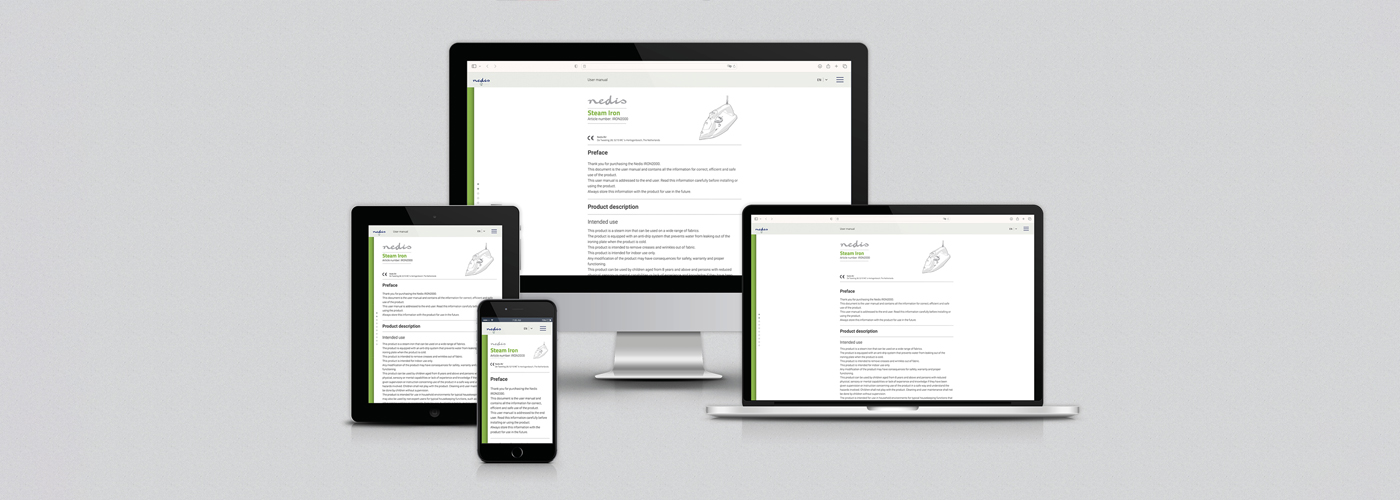
An HTML manual functions like a website with search functionality and clear navigation. This format enables real-time updates and easy scaling to multiple languages. Many organisations integrate it with customer portals or support platforms.
Mobile App
Some organisations deliver manuals through a mobile application. Updates can be sent directly as notifications, and the app can display context-specific instructions based on the device or user role.
Integrated Instructions on Devices
In smart devices and machines, instructions increasingly appear directly on the product display. A smart thermostat, for example, may guide users step by step through configuration options, while industrial equipment may display warnings together with the appropriate instructions.
Videos and Animations
Visual content can complement or partly replace written instructions. Short videos or animations clearly demonstrate how a task should be performed. This is particularly valuable for complex or safety-critical procedures.
E-Learning and Interactive Modules
For complex products or training environments, interactive learning modules guide users through processes step by step. These modules often allow users to practise tasks or test their knowledge.
Single Source Publishing
Using a Content Management System (CMS) or authoring tools such as FrameMaker or Author-it, the same source content can be published to multiple forms of online output. This ensures consistency and simplifies the management of multilingual documentation.
General Advantages
Providing manuals digitally offers several benefits, regardless of the specific format.
- Always Available
Users no longer need to search for a printed booklet. A QR code, link or app provides immediate access to the correct instructions. - Easy to Update
Digital documentation can be updated quickly. When products change or new features are added, the information can be updated immediately without costly reprints. - Multimedia Capabilities
Digital manuals can include videos, animations, interactive diagrams or even 3D models. These elements often make complex procedures easier to understand. - Cost Reduction
Printing, storing and distributing paper manuals involves significant costs. Online output reduces these costs and can also lower support requests by providing clearer instructions. - Sustainability
Reducing paper use and transport lowers the environmental impact. Online output therefore contributes to organisational sustainability goals.
Advantages and Disadvantages of Specific Forms of Online Output
Although digital documentation offers many advantages, selecting the right format requires careful consideration.
| Form | Advantages | Disadvantages |
| Interactive PDF | Easy to produce, widely supported, available offline, can include links and multimedia. | Limited interactivity and less flexibility for frequent updates. |
| HTML Manual / Web Portal | Real-time updates, powerful search functionality, easy multilingual support, integration with support portals. | Requires hosting and maintenance and depends on internet access. |
| Mobile App | Always accessible, push notifications for updates, context-specific information. | Higher development and maintenance costs and users must install the application. |
| Integrated Instructions on Devices | Instructions available directly on the product, highly intuitive and context-specific. | Limited screen space and technical complexity; additional documentation may still be required. |
| Videos and Animations | Visually clear and highly effective for complex procedures. | Higher production costs and more difficult to update. |
| E-Learning Modules | Suitable for training and certification and provide an interactive learning experience. | Require a learning platform and may be unnecessary for simple products. |
Hybrid Approach
In practice, organisations rarely rely on a single format. A hybrid approach is often most effective. For example:
- A printed quick start guide
- A comprehensive HTML manual online
- Supplementary videos or animations for complex procedures
This combination ensures that users can access information in the format that best suits their situation.
Online Output and User Experience
Digital manuals enable information to be delivered interactively, contextually and sometimes even personalised. Users can quickly find relevant information and switch directly to support channels if needed.
As a result, manuals evolve from static reference documents into dynamic tools that enhance the overall user experience.
Interactivity
Users can navigate through clickable tables of contents, search functions and structured content instead of long blocks of text. Content can also be role-based: an installer sees different information from an end user.
Personalisation
Digital systems can adapt information to the user or context. For example, a device may display instructions based on its installed software version or the user’s preference.
Integration with Support
Online manuals can connect directly to support channels such as live chat, chatbots or service portals, allowing users to move seamlessly from self-help to assistance.
Products Suitable for Online Output
Not every product is suitable for online output. However, certain scenarios clearly benefit from digital documentation.
- Software and Applications
Software interfaces change frequently. Online output ensures instructions remain up to date. - Smart Devices (IoT)
Products such as robot vacuum cleaners, smart lighting systems and home security devices already rely on digital interaction, making digital documentation a natural fit. - Complex or Technical Products
Videos and animations can clarify complicated procedures. In fields such as medical devices or industrial machinery, visual guidance can significantly improve usability.
Legal Requirements and Limitations
Online output gives organisations considerable freedom in how they publish user information. However, this freedom is not unlimited. Within Europe, clear regulations apply to ensure that users always have access to correct, safe and understandable instructions, regardless of the format in which the information is provided. When developing digital documentation, it is therefore important to consider not only usability, but also compliance with the relevant laws and regulations.
Examples of specific regulations include:
- Machinery Regulation (EU 2023/1230)
Digital manuals are permitted, but only under certain conditions: the information must be accessible, remain available for at least ten years, and a printed version must be provided upon request. For non-professional users, physical documentation often remains mandatory. - Medical Device Regulation (EU 2017/745)
For medical devices, digital instructions may only be provided with user consent and after a risk assessment has been carried out. A printed version must always remain available. - Regulation (EU) 2023/988 – General Product Safety
This regulation applies to consumer goods and functions as a general safety provision within the European Union. For products covered by specific sector legislation—such as machinery or medical devices—the relevant directives or regulations continue to apply.
Essential safety information must always be available in a language that users understand. Digital instructions are allowed only if users can access safety information immediately.
For example, a QR code must lead directly to the relevant information without requiring additional steps such as logging in or registering.
In short, online output is often a valuable complement to printed documentation, but it does not automatically replace it.
Technical Considerations
In addition to regulatory requirements, several technical factors must be considered.
- Responsive Design
Documentation should function properly on smartphones, tablets and desktop computers. Content must automatically adapt to different screen sizes. - Version Management
Because digital documentation changes frequently, reliable version management is essential. This prevents users from accidentally using an outdated version. - Data Security
If documentation includes personalised information or connected devices, appropriate security measures such as encryption and access control are required. - Accessibility (WCAG Guidelines)
Digital manuals should be accessible to all users, including those with disabilities. This includes text alternatives for images, sufficient colour contrast and a logical document structure.
The Role of Templates and CMS
If you plan to produce online documentation yourself, an efficient workflow is essential. Several tools are available to support this process:
- Templates
A good template provides consistency in structure, style and terminology. Whether you are creating a PDF or an HTML manual, the underlying structure remains the same. This improves clarity and reduces the risk of errors. - Content Management Systems (CMS)
With single source publishing, the same source content can be reused across multiple formats. Updates automatically appear in every output version, which saves time and prevents inconsistencies.
Manualise offers a CMS that enables publishing to print, PDF and web from a single source. Want to learn more? Watch our short video on smart content management or contact us directly.
Getting Started with Online Documentation
Online output has evolved from an emerging trend into a mature and effective method for publishing user information. It offers clear advantages in accessibility, cost efficiency and sustainability while meeting the expectations of modern users.
Successful implementation requires careful planning. Legal requirements, technical infrastructure and appropriate tools must all be considered. By using structured templates and a robust CMS, organisations can create consistent, user-friendly and future-proof documentation.
Planning to create online manuals yourself? Manualise offers single-source publishing software under licence to help you manage documentation efficiently.
Prefer to work with a specialist? Manualise has over 15 years of experience developing user-friendly manuals for a wide range of industries, both for print and digital publication.