Table of Contents
What Is a PDF Manual
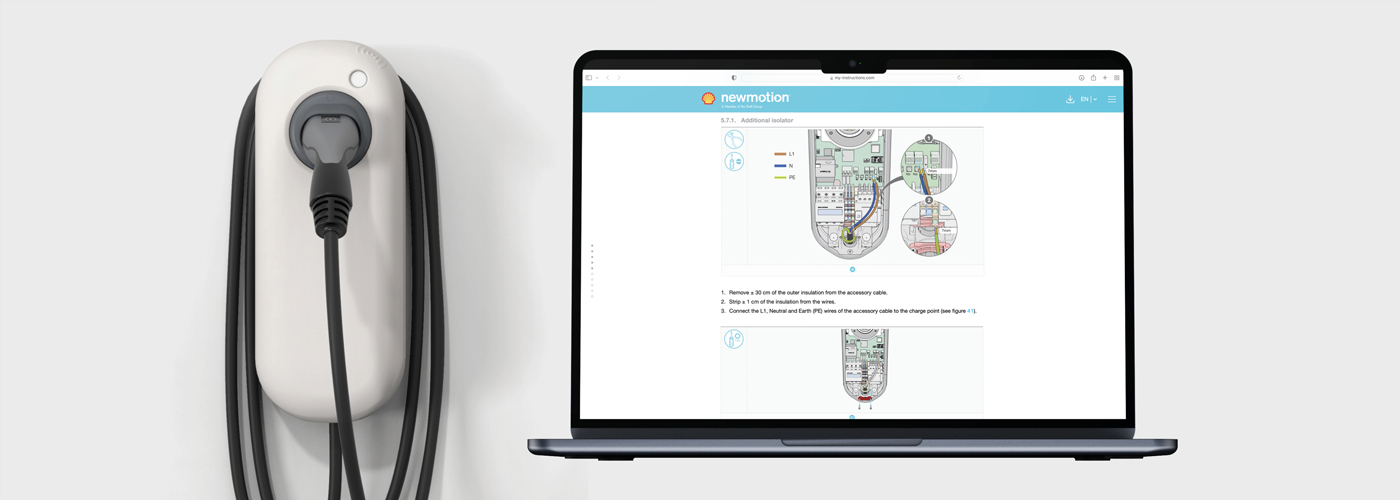
A PDF manual is the digital version of a traditional user manual. Instead of receiving a printed booklet, users open a document on a computer, tablet or smartphone.
The Portable Document Format (PDF) has several characteristics that make it well suited for documentation:
- Universal accessibility: almost all devices can open PDF files without additional software.
- Consistent layout: the document appears the same regardless of operating system or screen size.
- Simple distribution: a PDF can be shared via email, a website or a QR code attached to the product.
- Interactive features: clickable tables of contents, hyperlinks and multimedia elements enhance usability.
For organisations, a PDF manual also reduces printing, storage and distribution costs. For users, it provides quick access to up-to-date information. This is particularly useful for software, smart devices or products that receive regular updates.
A common example is a printer: the product box often contains a short quick-start guide, while detailed instructions—such as troubleshooting or advanced settings—are provided in a downloadable PDF manual. This approach saves paper and ensures that users always have access to the latest documentation.
While the PDF manual represents a natural step in the digitalisation of product documentation, it must still meet the same standards as printed documentation: clarity, structure and legal compliance.
How Do You Develop a Good PDF Manual
Developing an effective PDF manual requires a structured approach. It involves more than converting a Word document into PDF format. To ensure clarity, usability and compliance, several aspects must be considered.
1. Define the Target Audience
The first step is to determine who will use the manual. A consumer without technical experience requires different information than a professional technician. The manual should therefore match the user’s knowledge level and context.
For example, a consumer manual for a coffee machine explains each step in detail, including filling the water reservoir. A service manual for technicians focuses instead on maintenance procedures, error codes and spare parts.
2. Structure and Organisation
A clear structure is essential. A well-designed manual typically includes:
- A clickable table of contents
- Clearly numbered chapters and subsections
- Consistent headings and bookmarks for navigation
This structure enables users to quickly locate relevant information, even in longer documents.
3. Writing Style and Language
Use clear and direct language when writing instructions:
- Write short, active sentences.
- Avoid unnecessary technical jargon.
- For consumer products, use B1 language level to keep the text accessible.
For example:
Prefer:
“Plug the device into the socket.”
Instead of:
“Connect the electrical connector to the power source.”
4. Illustrations and Visual Support
Visual elements often communicate information more effectively than text. Useful examples include:
- Technical drawings with arrows or colour highlights
- Schematic diagrams for installation procedures
- Pictograms indicating warnings or required actions
Illustrations are usually more effective than photographs because they emphasise relevant details while eliminating visual distractions.
5. Navigation and Interactivity
One advantage of digital documentation is the ability to include interactive features, such as:
- Clickable tables of contents
- Hyperlinks to related sections or external resources
- Search functionality for quickly locating keywords
These features improve usability and help users navigate the manual more efficiently.
6. Accessibility
Digital manuals must also be accessible to users with disabilities. Follow WCAG guidelines by:
- Providing alternative text for images
- Ensuring sufficient colour contrast
- Using structured tags so screen readers can interpret the content correctly
Since June 2025, these guidelines have also applied to many commercial digital products and services within the EU. They have long been mandatory in many public-sector contexts.
7. Legal Requirements
Documentation must comply with relevant regulations and standards. Important examples include:
- Machinery Regulation (EU 2023/1230): allows digital manuals provided they remain accessible, are available in paper form on request and remain available for at least ten years. Printed documentation is often still required for non-professional users.
- MDR (EU 2017/745): digital documentation for medical devices requires user consent and a risk assessment.
- Regulation (EU) 2023/988 – General Product Safety: essential safety information must be available in the user’s language.
- Low Voltage Directive (2014/35/EU): defines requirements for safety instructions for electrical products.
A PDF manual must therefore be both well written and legally compliant.
8. Version Management
Digital documentation can easily be updated. However, this requires careful version management. Maintain a system that tracks revisions and ensures that the latest version is always available. This prevents users from relying on outdated information.
9. Multilingual Documentation and Localisation
Many organisations operate internationally. While a PDF manual can easily be translated, translation alone is not sufficient. Localisation ensures that documentation reflects local conventions such as measurement units or symbols.
For example, the United States commonly uses inches and Fahrenheit, while Europe uses centimetres and Celsius.
10. Corporate Identity and Branding
A manual also reflects your brand. Ensure that the layout aligns with your corporate identity, including logo, colour palette and typography.
Consistent branding strengthens both professionalism and brand recognition.
Getting Started with Online Documentation (Including Free Checklist)
A PDF manual combines the reliability of traditional documentation with the flexibility of digital distribution.
However, creating effective digital documentation requires attention to multiple factors: target audience, structure, language, illustrations, navigation, accessibility, legal compliance, version management and localisation.
By following the principles outlined above, you can create documentation that is clear, effective and accessible to users.
To help you get started, we have summarised the key points from this article in a concise checklist.
Want to ensure that your PDF manual meets all requirements and remains user-friendly? Manualise can help you develop documentation that is clear, effective and compliant with regulations.
For more than 15 years, Manualise has created user-friendly manuals for a wide range of clients, both for print and digital publication. Manualise also provides single-source publishing software, available under licence.