Table of Contents
What Are Technical Illustrations
Technical illustrations form an essential part of technical documentation. They clarify complex information visually, making it easier and faster to understand. Compared to text alone, illustrations capture attention more effectively and help overcome language barriers. In some cases, they support the written instructions; in others, they can replace text entirely.
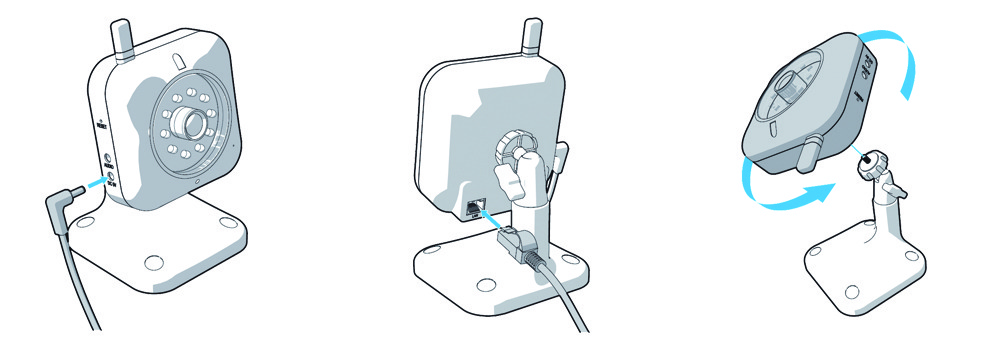
When developing a technical illustration, simplicity is key. Highlight only the essential components, such as buttons, connectors or locking mechanisms. A clear drawing allows you to emphasise these elements precisely. In contrast, photographs often contain unnecessary details that may distract from the main message.
What Types of Illustrations Are There
Several types of technical illustrations are used in technical documentation. The most common are line drawings (with or without shading), photorealistic illustrations and infographics.
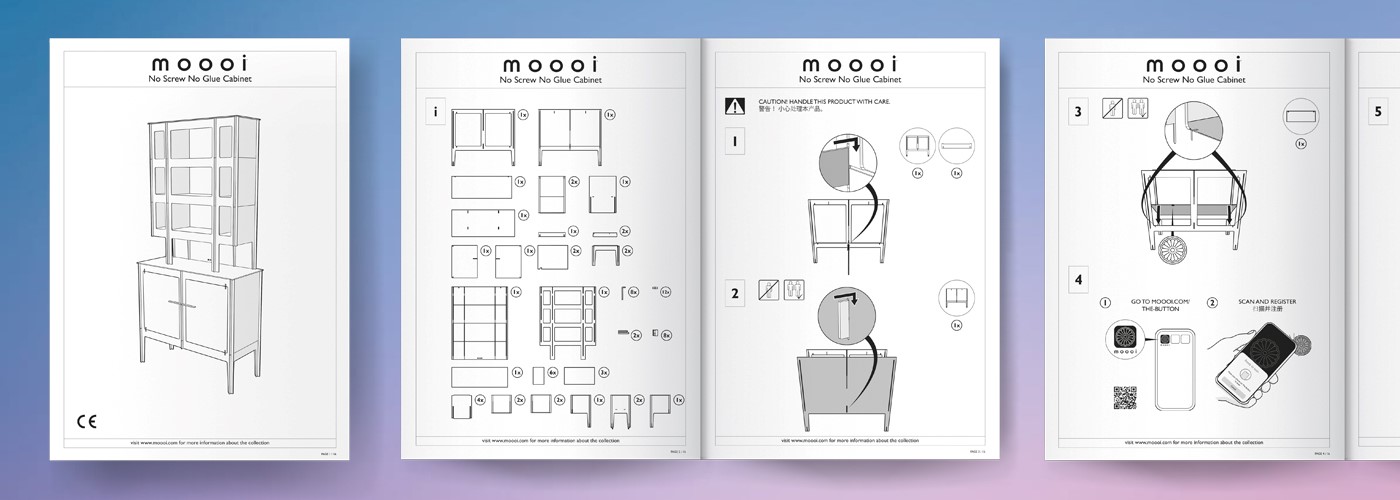
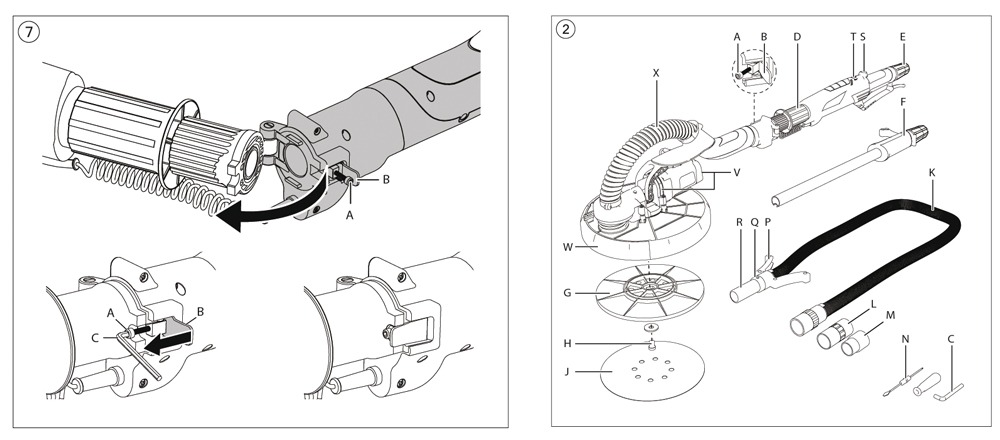
Line drawings are simple and clear. They are highly suitable for effective technical communication. These illustrations use outlines and internal lines to represent an object. Shading can be added to create depth and volume. Line drawings are widely used in manuals. By adding colour to specific components, you can highlight the parts relevant to a particular action. This immediately shows the user which element the instruction refers to.
Photorealistic illustrations closely resemble real photographs. They contain detailed textures, colours and surface finishes that match the actual product. These illustrations are mainly used for marketing purposes, such as brochures and advertisements. In manuals, they are less common, as the level of detail may distract from the essential information.
Infographics are another type of technical illustration frequently used in manuals, especially in Quick Start Guides. They present information in a compact and visually appealing format. Infographics often combine short text with simple visuals. This makes step-by-step instructions easy to follow and quick to understand.
How Do You Create Effective Technical Illustrations
When developing technical illustrations for a manual, keep the following principles in mind:
- Clarity and simplicity
Avoid unnecessary details. In many cases, it is better to show only one action per illustration. For example, an image that shows both a power cable and a network cable being connected at the same time may cause confusion. Two separate illustrations make the instruction clearer and easier to follow. - Accuracy
Even if you display only the essential components, the illustration must accurately represent the actual product. The proportions, positioning and orientation of components must match the real device. This prevents misunderstandings during installation or use. - Readability
Too much detail reduces clarity. Show only the elements that are relevant to the action. Remove background details or components that do not contribute to the instruction.
Also consider accessibility. Do not rely on colour alone to communicate important information. Use symbols, labels or patterns as well. This ensures that users with colour vision deficiencies can understand the illustration. - Consistent style
A manual usually contains multiple illustrations. Maintain a consistent style throughout the document. Use the same line thickness, colour scheme and perspective. Consistency improves recognition and creates a professional appearance.
Tools for Creating Technical Illustrations
Several tools are available for developing technical illustrations for technical documentation. The choice depends on the type of illustration and the available source material.
For 2D line drawings, software such as Adobe Illustrator is commonly used. This tool allows you to create precise vector-based illustrations, diagrams and infographics. Vector files remain sharp at any scale, which makes them suitable for both print and digital manuals.
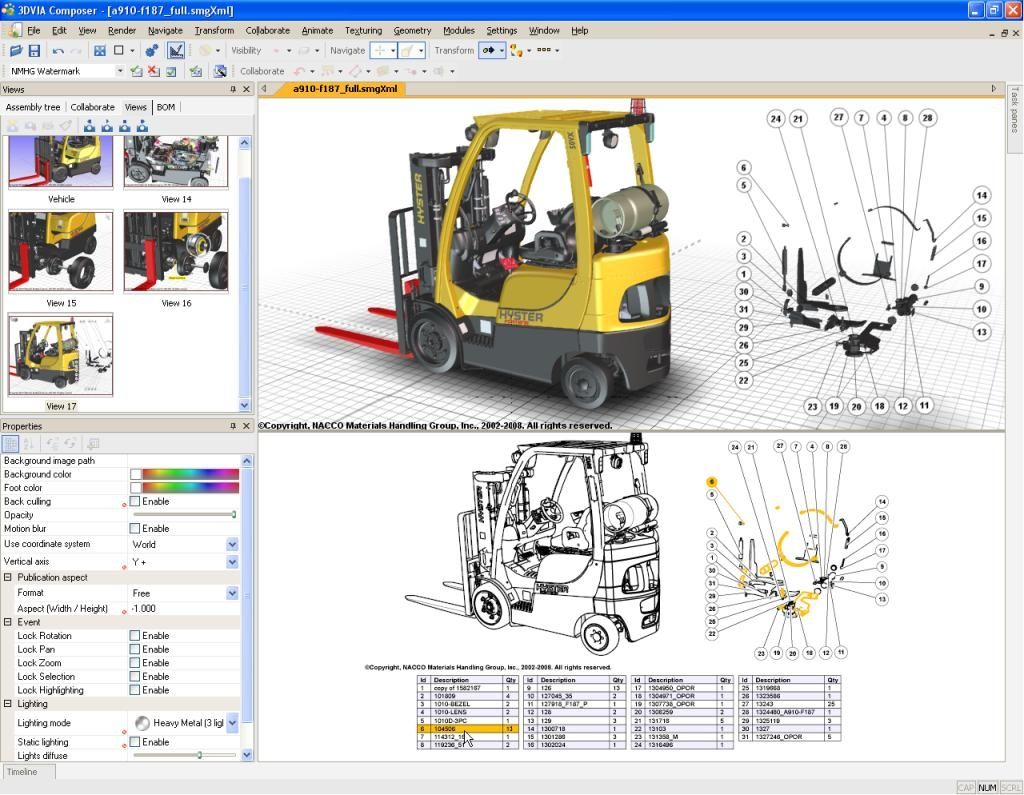
For 3D line drawings, CAD-based applications such as SolidWorks Composer are often used. These programs convert 3D CAD models into clear technical visuals. You can rotate, simplify and highlight specific components to match the instruction.
If you need multiple technical illustrations, investing in a 3D CAD model can be efficient. Once the model is available, you can generate consistent illustrations from different angles and for different purposes. This approach saves time, improves consistency and enhances the overall quality of your documentation.
What Can Manualise Do for You
Manualise specialises in technical documentation and the development of professional technical illustrations. Based on 3D CAD files, photographs or sketches, our experienced technical illustrators create visuals in any required style.
We also develop company-specific illustration guidelines. These guidelines ensure that all technical illustrations align with your corporate identity. For example, we design custom symbols for user tips or internal references within a manual, such as “See also…”.
By working with clear guidelines and a structured approach, you achieve a consistent, professional and recognisable visual style across all your documentation.