Table of Contents
The Purpose of an Illustration
An illustration is a key element of a manual. It presents complex information visually, allowing users to understand instructions more quickly and easily. The primary purpose of an illustration is to communicate information clearly and efficiently. This enables users to install, operate or maintain a product or system safely and correctly.
Clear and consistent illustrations also enhance the professional appearance of your documentation. As a result, they strengthen the image of your product and brand.
Target Audience
Then first determine the target audience. Each user group has specific needs, preferences and levels of knowledge. This directly influences the way information should be presented visually.
Consider the following questions:
- Who is the user? For example, an end user, installer, operator or trainer.
- What is the level of experience? Is the user a beginner, intermediate or technically skilled expert?
- What is the level of language proficiency? In cases of limited literacy, illustrations play a key role in supporting or even replacing text.
Based on this analysis, the illustrator can determine how the information should be structured and which visual style best supports the user.
Illustration Styles
If you want to enhance your manual with illustrations, you can choose from various styles of technical illustrations, including:
- Line drawings
- Photorealistic illustrations
- Infographics
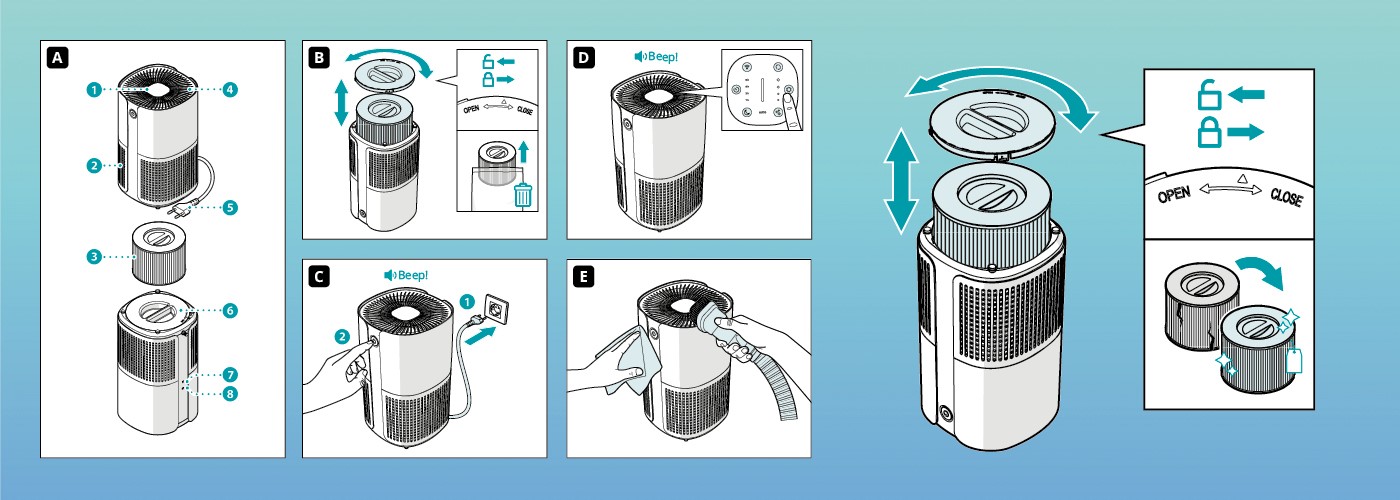
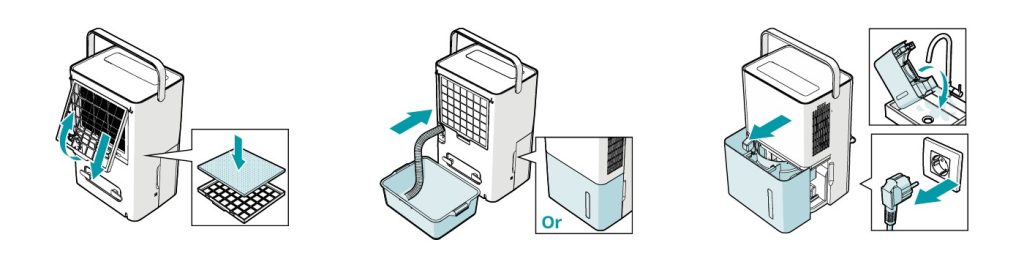
Line drawings are simple and clear, making them highly suitable for effective communication. They are widely used in manuals. These illustrations consist primarily of outlines and internal lines, sometimes supported by shading to create depth and volume.
Actions are often indicated with arrows. You can highlight specific components by adding colour. In addition, enlargements or detail views can clarify specific actions or small parts.
Photorealistic illustrations closely resemble photographs. They contain detailed textures, colours and surface finishes that match the actual product. Due to their level of detail, they are mainly used for marketing purposes. In manuals, they are less common because excessive detail may distract from the core message.
Infographics are frequently used in quick start guides. They present information in a compact and visually appealing format. By combining short text with clear illustrations, they make step-by-step instructions easy to follow and quick to understand.
Illustration Techniques
Would you like to have a technical illustration created to make your manual more effective? Several methods are available:
- 2D line drawings are often created using software such as Adobe Illustrator . A technical illustrator redraws a component or product as a clear line drawing, optionally including enlarged detail views.
- 3D line drawings are often developed using CAD-based software such as SolidWorks Composer . These programmes existing 3D CAD models into simplified technical visuals.
If you require multiple illustrations, investing in a 3D model can be efficient. Once the model is available, you can generate consistent, high-quality visuals from different angles. This saves time and improves overall consistency.
Key Points When Creating Illustrations
When creating or deciding to have a technical illustration created, focus on the following principles:
- Consistency
- Clarity and simplicity
- Accuracy
- Readability
Consistency
A consistent visual style improves recognition. For example, if a stylised hand indicates that the user must hold, press or turn a component, the meaning becomes clear after one or two occurrences. The user does not need to interpret the symbol repeatedly.
Consistency also strengthens the professional appearance of your documentation.
Clarity, Simplicity, and Accuracy
Use text only where necessary. Prefer internationally recognised icons and symbols to overcome language barriers. Avoid unintended cultural interpretations. For example, the colour red symbolises positivity in some cultures, while in others it indicates danger.
An unclear illustration may lead to incorrect actions. This can result in errors, damage or unsafe situations. Accurate illustrations therefore support both usability and compliance with legal requirements.
For example, consider a manufacturer of an electric charging station. Incorrect electrical connections can create hazardous situations. A precise illustration in the manual shows how to switch off the main power supply in the fuse box before installation begins. This reduces the risk of electric shock or fire.
Readability
Show only essential information. Remove unnecessary elements that distract from the message. Also consider accessibility. Some users have difficulty distinguishing certain colours. Do not rely on colour alone to convey critical information. Combine colour with symbols, labels or patterns.
Have a Technical Illustration Created by Manualise
Clear technical illustrations reduce errors, support safe use and improve the overall quality of your documentation.
Do you need technical illustrations for your manual? Manualise advises you on the most suitable type of illustration and its optimal placement within your document. We also create the technical illustrations for you.
Whether you need 2D or 3D line drawings, photorealistic visuals or clear infographics, we deliver illustrations in a consistent and recognisable style.