SOP: Relevance and Target groups
What are SOPs and why are they relevant? An SOP (short for Standard Operating Procedure) contains detailed steps or guidelines that describe how an action or activity must be carried out. The relevance of this document depends on the application. We distinguish two target groups:
- Employees, where it ensure employees can carry out tasks independently in a consistent and efficient way.
- End users or consumers, where an SOP—also called a user manual—is relevant because it helps people assemble, install and/or use products independently in the correct (safe) way.
How Do You Write an Effective SOP (Including a Free Checklist)
To answer this question, we do not distinguish between an SOP for an employee or one for a consumer/user. In both situations, it is important that SOPs match the level of the target group. Consider, for example, prior knowledge and experience level: are you dealing with a novice or an expert? Also take the education level and language skills of your target group into account.
Tips for an Effective Standard Operating Procedure
In addition to matching your target group, it is important to present operating procedures in a way that is attractive, clear and user-friendly for the reader. How do you write an effective SOP? Below are a few tips, divided into four categories:
- Language
- Use simple, understandable language. Avoid specialist terms or technical language where possible. Avoid specialist terms or technical language where possible.
- Write concisely and to the point. Avoid unnecessary detail or repetition: it makes an SOP much less effective
- Structure & style
- Structure the document. Use clear headings, subheadings and bullet points.Ensure consistency in the style of the work instruction. Think of style elements such as font, font size and line spacing. Also keep the tone and formatting consistent. This helps the reader focus on the content and prevents unnecessary distraction.Keep the SOP text light and easy to read by using enough white space.
- Supporting elements
- Add visual elements (for example images or charts). This makes instructions easier to follow and can help clarify complex information.
- Is the SOP available digitally? Use interactive elements such as hyperlinks (for example to additional information, sources or related information) or a clickable table of contents. This improves the reading experience and actively engages readers with your instructions.
- Text length
- Avoid long blocks of text. Use lists to present information clearly. Split information into small sections so the content is easier to digest.
Ready to Get Started With SOPs?
By applying these principles, you make your standard procedures not only effective, but also more attractive and accessible for the reader.
Are you planning to write one or more procedures? Always keep the main objective in mind: helping users complete tasks successfully through clear and structured instructions.
Our advice: test the document after completion. Ask users to work with the SOP and evaluate whether the instructions achieve their purpose. Adjust the content where necessary. This approach increases both effectiveness and practical value.
To make it even easier, we have summarised the information above in a compact checklist. Download the free checklist here:
SOPs for Employees
For centuries, knowledge has been shared both verbally and in writing. During the Industrial Revolution, a new need arose: standardised procedures and instructions to guide workers in using new machines and performing specific tasks in factories.
And this is no different in the 21st century. Creating and maintaining clear SOPs for employees is essential for smooth operational processes within an organisation. They contribute to:
- professionalism;
- consistency;
- effectiveness.
Organisations that aim for ISO 9001 certification for quality management are often encouraged to create a quality manual describing the organisation’s procedures and processes. In some industries (especially sectors with increased safety risks), regulators may set documentation requirements, for example for a safety manual. Make sure you inform yourself properly before you get started.
Manual With SOPs for Employees
A manual serves as a reference document that employees and other stakeholders can consult to gain clarity about, for example, policies, procedures, tasks and responsibilities. It is a structured and detailed source of information. SOPs form part of such a manual. In addition to this general purpose, work procedures and a manual also have more specific purposes, such as:
- Standardisation
- Training: new employees can use the manual as a training aid. This helps them become familiar with an organisation’s procedures quickly.
- Efficiency and consistency: the manual provides standardised procedures and guidelines. This promotes efficiency and consistency in performing tasks within the organisation.
To support these goals properly, it is important to create SOPs in the right way.
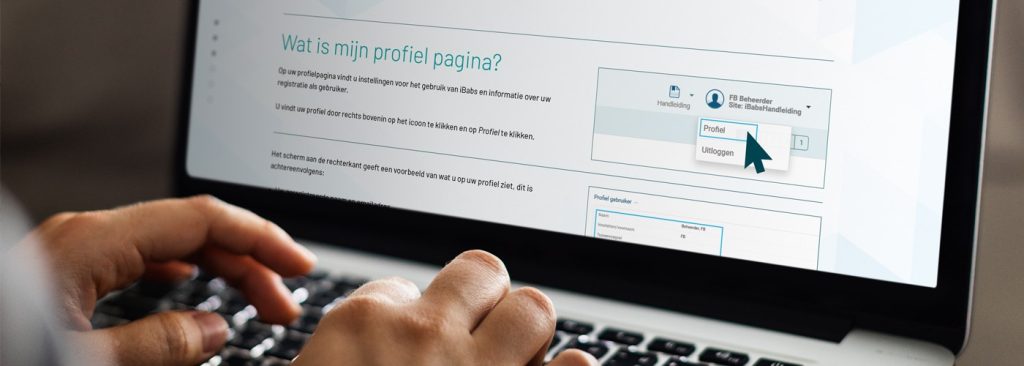
What Information is Included in an SOP for Employees (Including a Free Word Template)
A good work instruction for employees is clear, structured and easy to understand. It guides the user step by step and reduces the risk of errors.
How should such a document be organised? Below, you will find the key elements of an effective standard operating procedure for employees. We have included practical points that you can apply directly when drafting your own SOPs.
Would you prefer a ready-made structure? Download our free Word template, which already incorporates these elements.
Key Elements of an SOP
- Title
- Give the instruction a clear and relevant title. A clear title summarises the content well.
- Introduction
- Provide a short introduction that explains the context. Is there a link to other tasks (procedures)? Mention these so the relationship is clear.State the purpose of the instruction, so the employee understands what to expect and why the document is relevant.Identify the target group or the people the instruction is intended for.Mention any other stakeholders or people involved in the process.
- Materials and tools
- Provide a list of all required materials, tools or aids needed to perform the task.
- Step-by-step plan
- Describe the steps the employee must follow to carry out the task.
- Use clear, concise and action-focused language.
- Number the steps to indicate the order.
- Use bullet points to present information clearly and logically.
- Owner, date and revision history
- State the owner (for example a person or department) of the document.State the date the document was created or updated. If desired, indicate what changes were made compared to the previous version.
- Approval and signatures
- If applicable, add a section for approval and signatures from responsible persons.
Other Important Topics
If we examine the content of a step-by-step plan, several key elements consistently appear in an effective SOP:
- Safety instructions
- If the task involves risks, add safety instructions.
- Indicate which personal protective equipment is required.
- Emphasise the importance of following the safety guidelines.
- Checkpoints and quality criteria
- Identify checkpoints the employee can use to verify whether the task has been performed correctly.
- Specify quality criteria to ensure the task is carried out properly.
- Timing and deadlines
- Are there specific timelines or deadlines for a task? Communicate them clearly. This supports planning and helps employees understand urgency.
- Troubleshooting
- Add information about possible issues and provide suggestions for solving them.
- Refer to contacts or procedures for further assistance.
And do not forget the following points to make performing a task easier or more efficient:
- Images or diagrams
- Add visual aids (such as images, diagrams or flowcharts) to clarify steps. This is especially relevant for complex information.
- Tips and recommendations
- Add any tips or recommendations that can make the task easier or more efficient.
Do you want to safeguard the effectiveness of your SOPs? Review the documents regularly and actively collect user feedback to improve the content.
The objective is to provide a clear, accessible and practical step-by-step plan that supports employees in performing specific tasks correctly and consistently.
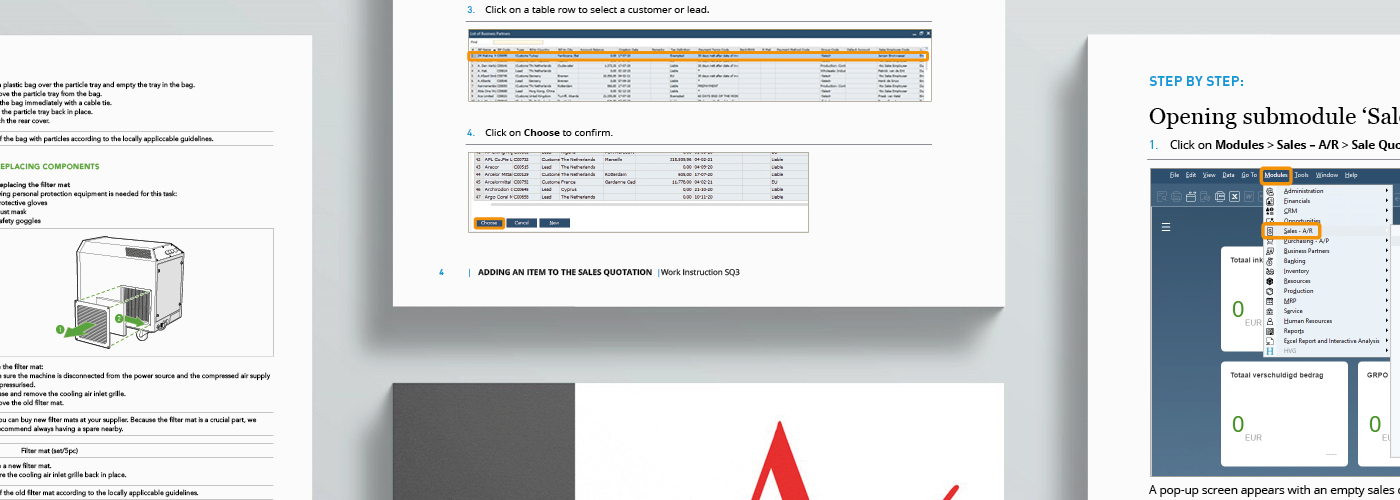
Example of Professional SOPs for Employees
Are you preparing to write a standard operating procedure yourself? You may be looking for inspiration. In the previous section, we outlined the key elements of an effective SOP for employees and created a practical template for you. It provides a clear and structured starting point.
Download the free Word template via the button below.
Would you prefer to work with a specialist? Manualise has more than 15 years of experience in developing clear, user-friendly operating procedures for a wide range of customers.
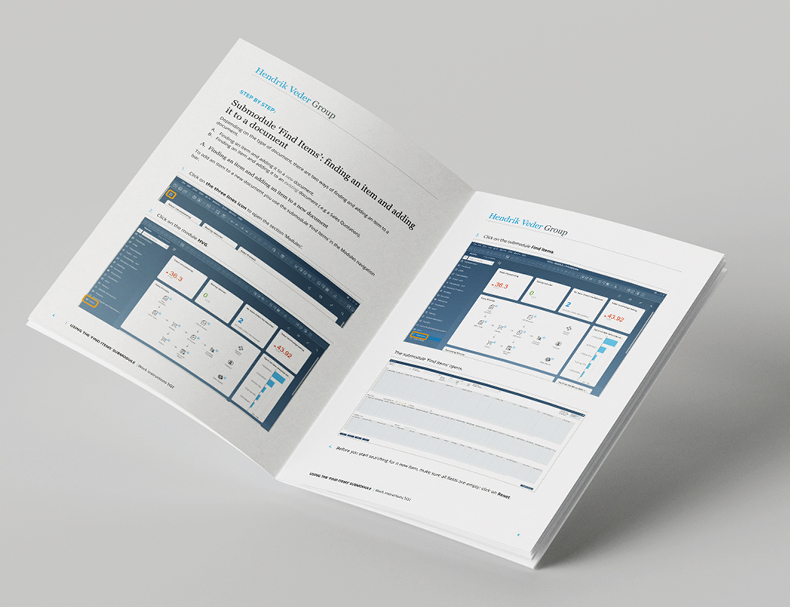
Below, you will find an example of a professional SOP in which these principles have been applied to create an attractive and accessible document.
SOPs for Consumers or End Users
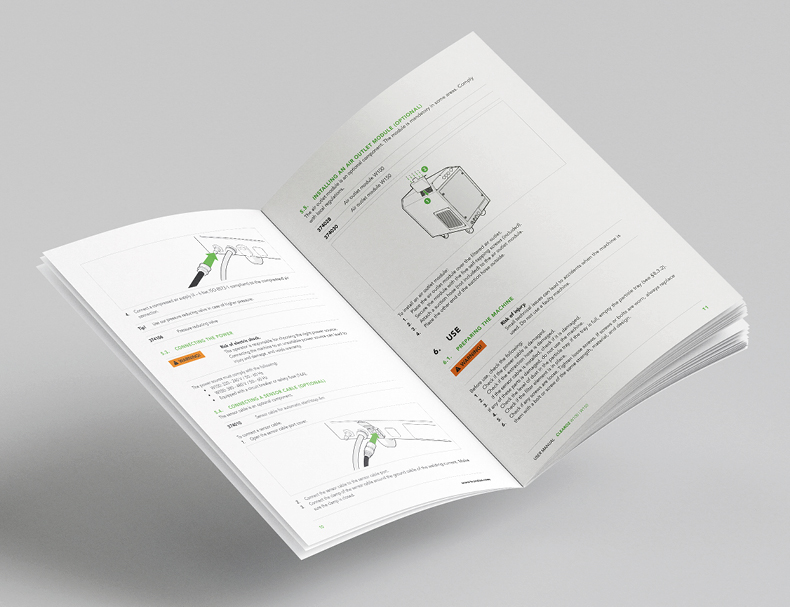
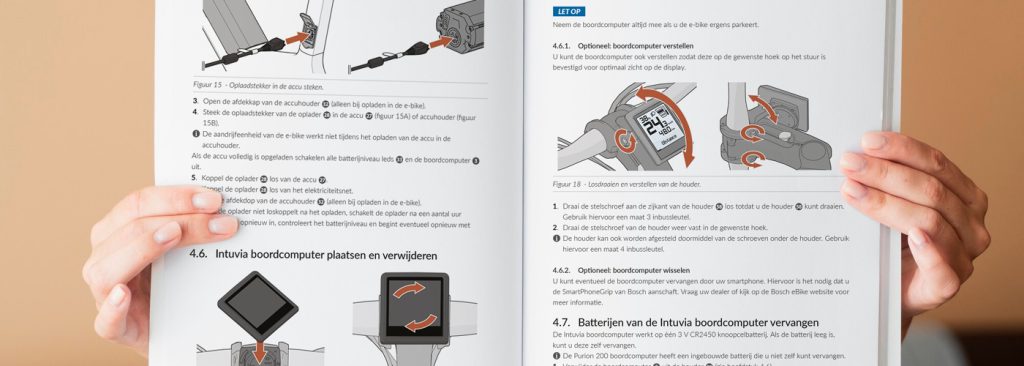
In the case of documentation for consumers or other end users, we also speak of a user manual. Such an SOP or user manual contains different procedures. These are steps or actions that must be carried out to achieve a specific goal. Think of assembling a product, using or maintaining an e-bike, or operating a machine.
An SOP not only promotes correct and safe operation of a product or system, but also serves other goals. If they are written well, they will:
- contribute to user satisfaction;
- reduce the number of questions to customer service.
In addition, providing procedures for products with a CE marking is mandatory. If your product must comply with, for example, the Machinery Directive, requirements also apply to the supplied documentation.
What Information is Included in an SOP For Consumers/End Users (Including a Free Word Template)
A well-written procedure for consumers or end users is clear, concise and easy to follow. The document supports correct use and helps prevent errors or unsafe situations.
How should such a document be structured? Below, you will find the key components of an SOP or user manual. We have included practical points that you can apply immediately when drafting your own work instructions.
Would you prefer a ready-made structure? Download our free Word template, which already incorporates these elements.
Key Elements
- Title and version control
- Give the user manual a clear title that summarises the content.
- State the version and the issue date of the document.
- Table of contents
- Add a clear table of contents and, if needed, an index so users can easily find specific information.
- Introduction
- Introduce the product or system in an introduction.
- Define who the document is intended for.
- Inform the user about intended and unintended use, explain which symbols are used, and add a terminology list if needed.
- Product overview
- Describe the product. Indicate the relevant parts, include relevant technical information (such as dimensions, weight, energy consumption, etc.), specifications and possible configurations.
- Installation instructions
- Provide step-by-step instructions for installing or setting up the product.
- Operating instructions
- Provide detailed instructions on how to use the product correctly, including basic and advanced functions.
- Maintenance and care instructions
- Provide guidelines for maintaining and caring for the product to extend its service life and maintain optimal performance. Think of procedures, but also maintenance intervals.
- Safety instructions
- Create clear and detailed safety instructions. Be clear about possible hazards and required precautions.
- Troubleshooting
- Add a section with common issues and possible solutions. Offer steps to identify and resolve problems.
- Warranty and service information
- Provide information about warranty conditions, warranty period and how service or support can be obtained.
- Disposal
- Provide information about responsible disposal of the product or system.
- Contact information
And for the entire document: make sure important information, warnings and other key points stand out clearly, so users are aware of potential risks. Do not forget: the instructions are there to ensure products can be assembled, installed and/or used independently in the correct (safe!) way.
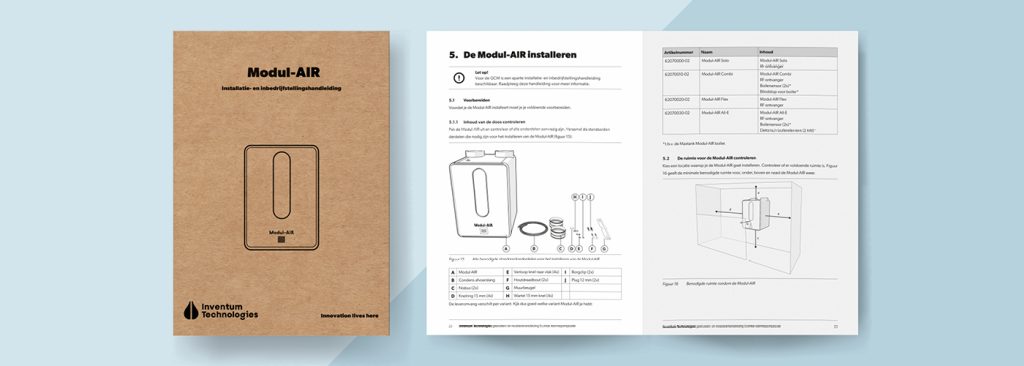
Example of a Professional Operating Procedure for Consumers
Programmes
Various programmes are available for creating SOPs. Common examples include Microsoft Word, Adobe InDesign and specialised tools such as MadCap Flare.
Microsoft Word offers several advantages. Most users are familiar with its basic functions, which makes the learning curve relatively low. This allows you to start quickly and work efficiently.
At the same time, consider the type of information and the objective of your operating procedures or manual. If you are dealing with complex structures, extensive cross-references or advanced layout requirements, a more specialised programme may be a better choice.
Ready to Get Started?
In the previous section, we provided a practical SOP example in Word. This template already includes several of the key elements discussed above.
You can download the template free of charge via the button below.
Would you like to learn more about using a step-by-step plan when writing SOPs? Or about using an operating procedures as the foundation for a user manual? Read our related articles for further guidance. We are also happy to support you in developing a customised template that fits your organisation.
Prefer to involve a specialist? Manualise has over 15 years of experience in creating clear, user-friendly documentation for a wide range of customers.
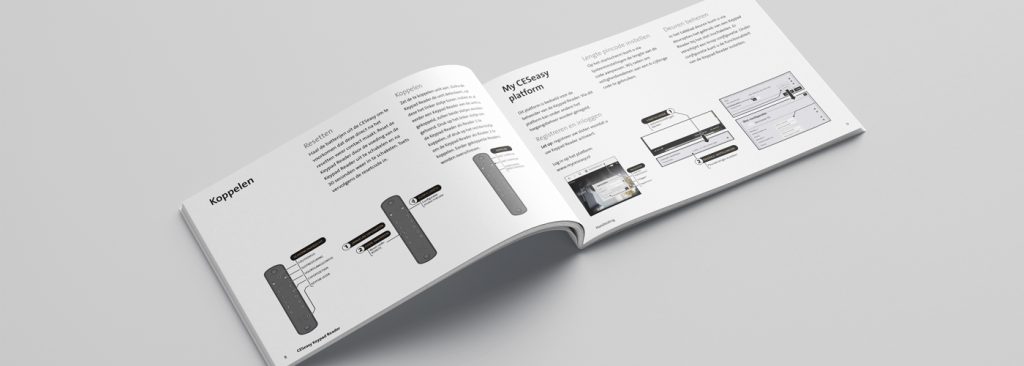
Below, you will find an example of a professional SOP as we develop it for consumers.