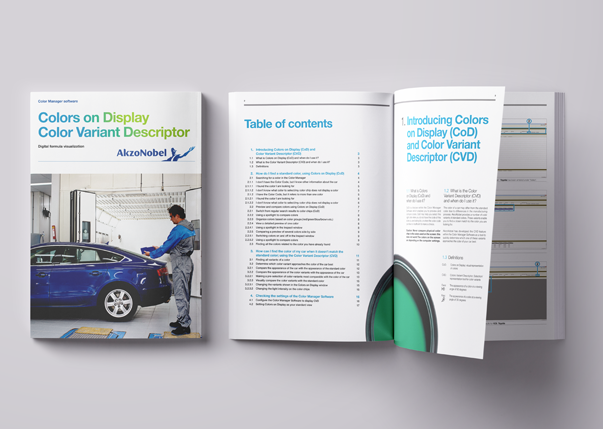
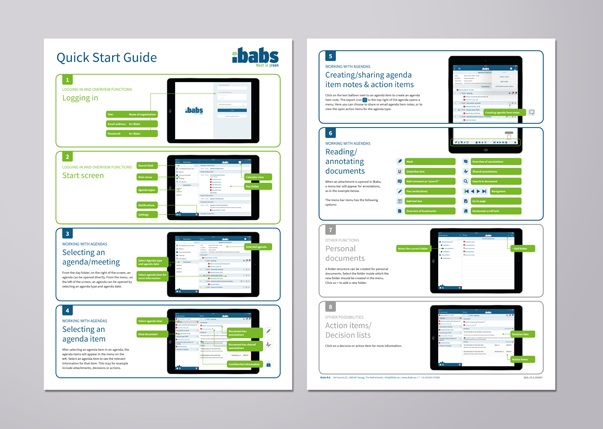
Table of Contents
What Is a Software Manual
The purpose of a software manual is to support users in completing tasks and resolving issues during installation and daily use.
Unlike a manual for a physical product, a software manual deals with an interactive and often dynamic environment. Physical products usually follow a fixed sequence of actions, such as assembly, installation or commissioning. Software, however, requires conceptual explanation. It has no visible components like a machine; instead, it consists of menus, buttons, fields and workflows.
Users can often reach the same outcome in different ways — for example via shortcut keys or menu navigation. A software manual must therefore be task-oriented, describe alternative routes where relevant and support users in different scenarios.
In addition, software evolves through updates and new releases. Instructions can quickly become outdated. A well-designed software manual must therefore be modular, easy to update and maintainable over time.
Our Approach: 3 Steps to Creating a Software Manual
Regardless of format, we follow three structured steps when developing software documentation.
Step 1 – Define the Content
All relevant software information is gathered and clearly mapped out. The instructional texts are drafted, and supporting screenshots are created to clarify key actions and processes.
Step 2 – Define Structure and Style
We determine the most logical way to structure and organise the information. The visual style is then established, ensuring consistency in layout, typography and use of screenshots.
Step 3 – Compile and Publish
Once the content and structure have been defined, we assemble the final manual by integrating text and visuals into a clear, coherent and user-friendly document.
Below, we explain each step in more detail.
Step 1 – Define the Content
A strong manual begins with a clear understanding of user needs and system functionality. This step includes:
- Identifying the target audience (novice user, experienced user, administrator or technical specialist)
- Defining which tasks, features and common issues must be explained
- Determining the most suitable format (text, screenshots, step lists, video or interactive guidance)
- Deciding what belongs in the manual and what may be placed elsewhere (such as in an FAQ or reference guide)
- Writing the content and creating supporting visuals, typically screenshots
- Reviewing the material for completeness, accuracy and consistency
Clear content selection forms the foundation for logical structure.
Step 2 – Define Structure and Style
Structure and tone strongly influence usability. In this step, you:
- Organise information into a logical and task-based structure
- Choose a tone that aligns with the brand and target audience (formal, neutral or more informal where appropriate)
- Develop a consistent template that ensures clarity and recognisability
A well-defined structure improves scanability and user confidence.
Step 3 – Compile and Publish
Finally, integrate the content into the chosen template and publish the manual in the appropriate format (for example PDF, online help or integrated software documentation).
A structured development process results in clear, usable and professional documentation.
Creating a Software Manual: 5 Key Considerations
Developing a software manual requires a different approach from writing instructions for physical products. The following five considerations are essential.
1. Focus on the User and Their Goals
Effective software documentation is task-oriented.
- Provide only relevant information — avoid unnecessary explanations.
- Structure content around user goals or scenarios.
- Describe clear, actionable steps.
- Where appropriate, encourage users to explore features independently.
2. Ensure Clear Structure and Logical Explanation
Information must be easy to find and understand.
- Provide conceptual explanations where necessary to clarify system logic.
- Use descriptive headings to improve navigation and scanability.
- Keep instructions concise and focused.
- Clearly mark the completion of tasks to avoid uncertainty.
3. Prevent Errors and Support Recovery
Errors are inevitable. Good documentation helps prevent and resolve them.
- Write instructions that minimise the risk of mistakes.
- Explain how to resolve common issues.
- Test the manual with real users to identify unclear sections.
4. Maintain Appropriate Tone, Language and Accessibility
Professional documentation respects the user.
- Present actions in logical order (e.g. “Go to File and click Print”).
- Avoid patronising language.
- Use technical terminology only when appropriate for the audience.
- Maintain consistent terminology, style and symbols throughout.
5. Choose the Right Format and Work Efficiently
Format influences usability and maintainability.
- Select the format that best fits the context (PDF, video, online help, embedded guidance).
- Ensure readability with sufficient white space and clear visual hierarchy.
- Use modular building blocks (e.g. Title – Steps – Verification – Error Handling) to improve maintainability.
Getting Started
By applying these five principles, you create a software manual that is clear, user-focused and efficient. The result is documentation that truly supports users: guiding, clarifying and enabling confident use.
Would you prefer to rely on a specialist? Manualise will be pleased to assist you. With over 15 years of experience, we create efficient and user-friendly documentation for a wide range of organisations.