Example User Manual 1: Installation Manual
Installation Manual vs Assembly Manual
An installation manual is often confused with an assembly manual. However, there is a clear difference.
An assembly manual describes how product components are physically connected and secured to a fixed location, such as a wall or floor.
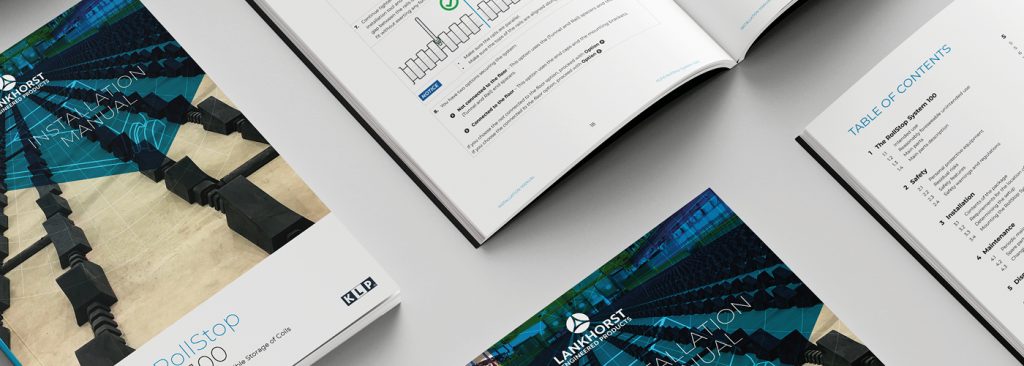
An installation manual explains how a product is connected, configured or integrated into its intended environment. Examples include connecting a modem to a network or installing an additional module in an existing system.
In practice, both aspects may overlap. Consider the installation of an electronic gate. First, the system must be assembled and mounted (assembly). Then, the electrical components must be connected and configured (installation). When these steps are combined in one document, it is generally referred to as an installation manual.
Would you like to learn more? Read our detailed article on installation manuals.
Example User Manual 2: Video Manual
Visual communication helps users understand and remember information more quickly. Increasingly, people consume information through video platforms such as YouTube, which has become a widely used source of product tutorials and practical instructions.
In the era of smartphones and tablets, information must be accessible quickly and efficiently. A video manual combines image, sound and text, allowing a large amount of information to be conveyed in a short time. Users can pause, rewind or replay the content, which enhances usability and supports learning.
Key tips for creating a video manual:
- Keep the message concise and clear. Limit the content to essential steps and avoid unnecessary explanations.
- Adapt the content to the target audience. Avoid jargon or explain technical terms briefly when addressing non-experts.
- Add subtitles. Subtitles improve accessibility for users with hearing impairments and for viewers who prefer to watch without sound.
- Avoid distractions. Do not use unnecessary music, rapid transitions or visual effects. Keep the focus on the task.
- Test the video with the target audience. Gather feedback and refine the content where necessary.
A well-designed video manual improves clarity, increases user engagement and supports safe and correct use of your product.
Example User Manual 3: Assembly Manual
As explained earlier, an assembly manual describes the steps required to assemble a product or component safely and correctly. It may also include instructions for mounting the product to a fixed surface.
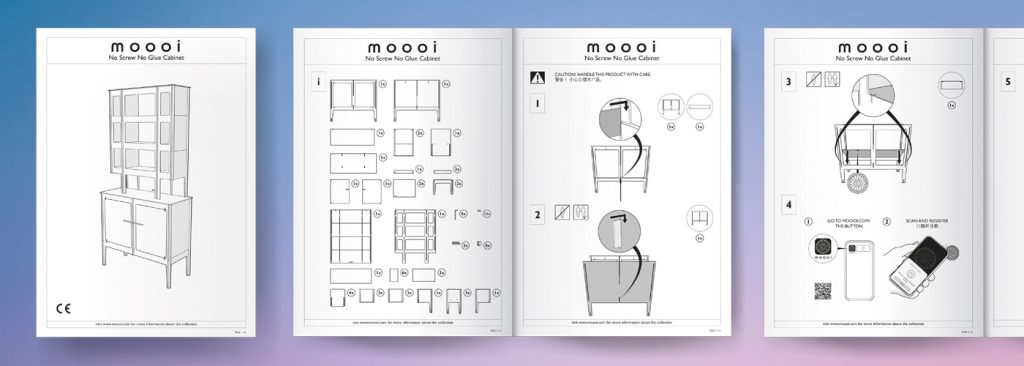
Below is a strong example of a user manual in IKEA style: an assembly manual developed for a storage system supplier. The manual is intuitive and accessible. Clear illustrations guide the user step by step and reduce the risk of errors.
In some cases, it is also advisable to show incorrect actions. By indicating what must be avoided, you further reduce misunderstandings and improve safety.
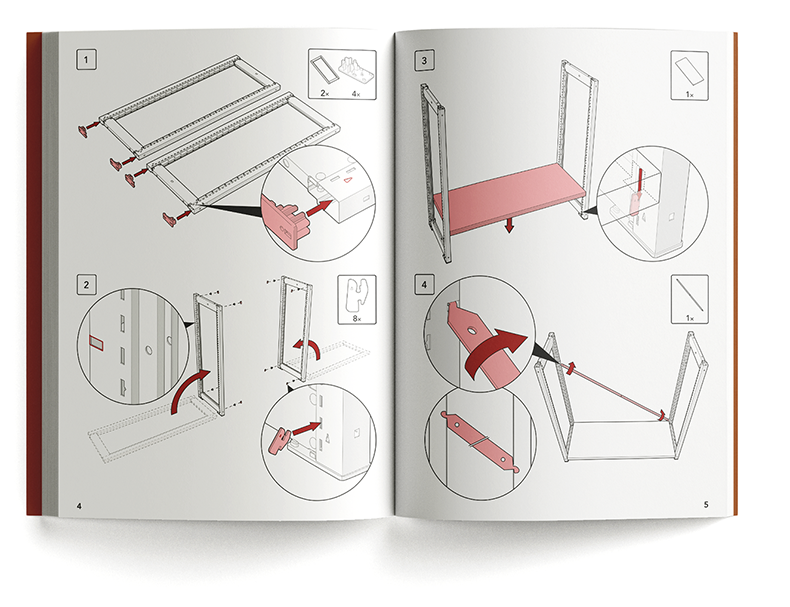
Because this example user manual relies primarily on illustrations, only a limited amount of text requires translation. This significantly reduces translation costs and simplifies multilingual publication.
Would you like to learn more? Read our article on assembly manuals.
Difference Between an Assembly Manual and an Installation Manual
Is there a difference between an assembly manual and an installation manual? In practice, the terms are often used interchangeably. However, there is a subtle but important distinction.
- Assembly manual: focuses on physically putting a product or component together and securing it to a fixed surface, such as a wall or floor. It describes how parts are connected and assembled.
- Installation manual: explains how a product is connected, configured or integrated into its intended environment. This often applies to more complex or technical products, such as electrical systems or network equipment.
In many cases, both aspects are combined in a single document. When assembly and installation are described together, the complete document is generally referred to as an installation manual.
Example User Manual 4: User Manual
A user manual (also referred to as an instruction manual) explains how to use a product safely, correctly and efficiently. It provides the end user with all necessary information to operate, maintain and, where applicable, troubleshoot the product.
What does a user manual contain? A user manual typically includes the following sections:
- General product description
- Product purpose and function
- Step-by-step operating instructions, supported by illustrations
- Safety instructions
- Maintenance instructions
- Troubleshooting guidance
- Technical specifications
- Contact details for support
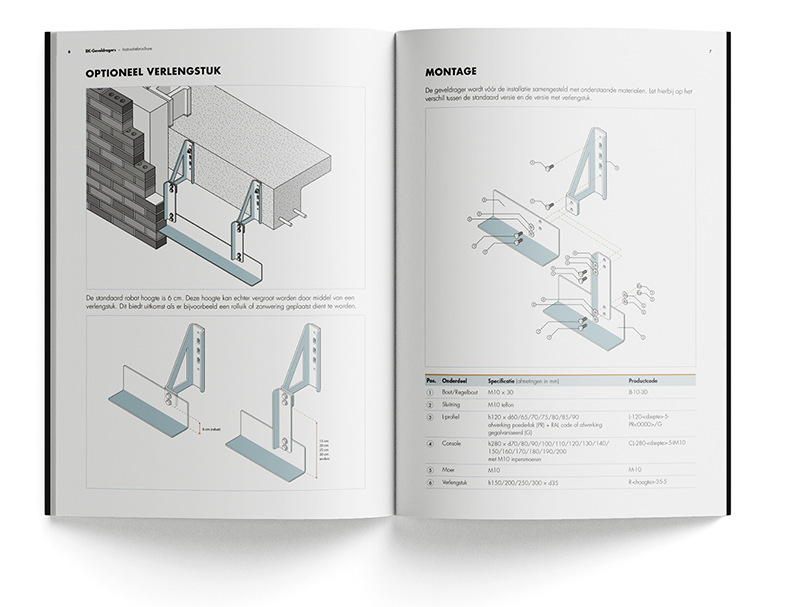
Below is an example of a user manual developed by Manualise. Commissioned by Eneco, we created the user manual for Toon®. The manual complies with all applicable guidelines and aligns fully with Eneco’s corporate identity and visual style.
Example User Manual 5: Software Manual
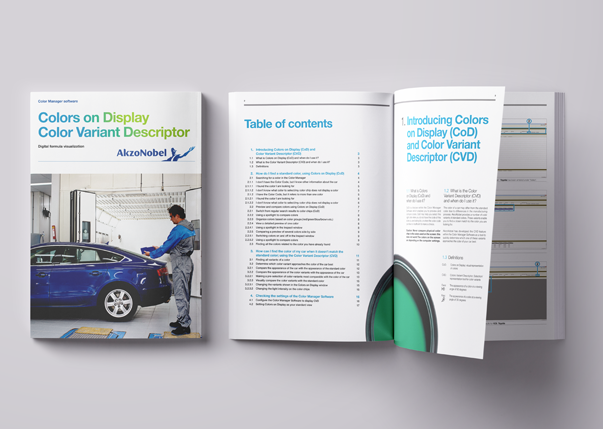
A software manual supports users in operating software effectively and safely. The structure and level of detail depend on the target audience and the complexity of the system.
A manual for an end user differs significantly from documentation intended for an administrator or developer. Likewise, an app manual is usually more concise and straightforward than documentation for a complex ERP system such as SAP. As system complexity increases, the documentation becomes more detailed and role-specific.
Would you like to learn more? Read our article on software manuals.
Prefer to engage a specialist? Manualise has more than 15 years of experience in developing clear, effective and user-friendly software documentation.
3D Animation
3D animations are highly effective when you want to demonstrate not only how a product works, but also how it should be used. Moving images often communicate information faster and more clearly than text alone. As a result, 3D animations can significantly reduce training time and associated costs.
By adding QR codes to products that link directly to specific animations, you increase accessibility. For example, a service technician is called to repair a malfunctioning machine. After identifying the defective component, the technician scans the QR code on that part using a tablet. An animation opens in the browser, showing step by step how to replace the component correctly.
These applications are increasingly used in sectors such as mechanical engineering, automotive, installation technology and medical equipment. They reduce the risk of errors, save time during installation, operation or maintenance, and provide an efficient tool for training technicians and operators.
Example User Manual 6: Augmented Reality (AR) Manual
An augmented reality (AR) manual is a modern form of user or assembly instruction. It overlays digital information—such as text, 3D models, arrows, animations or video—onto the physical environment in real time. Users access this information via a smartphone, tablet or AR glasses.
The purpose of an AR manual is to guide users or technicians step by step through installation, operation or maintenance tasks. For example, a technician can see exactly where a cable must be connected through an AR overlay. When using AR glasses, technicians can keep both hands free while working, which improves efficiency and safety.
Advantages of AR manuals include:
- Fewer errors
- Faster task completion
- Reduced reliance on textual explanations
- Hands-free support (when using AR glasses)
Points to consider:
- Not suitable for every target audience
- Requires access to appropriate hardware (AR glasses or a compatible mobile device)
- Initial investment in content development
Developing an AR manual requires careful preparation. You must create digital assets such as 3D models, scripts and animations. Both technical and instructional expertise are essential.
Required competencies:
- Technical skills, such as 3D modelling and animation, knowledge of AR platforms, and UX/UI design for AR (focusing on how users interact with information in an augmented environment).
- Instructional skills, such as the clear and structured presentation of technical information, understanding of user behaviour and learning processes and the ability to translate complex procedures into intuitive guidance.
When applied correctly, an AR manual enhances clarity, improves efficiency and supports safe and accurate task execution.
Example User Manual 7: Quick Start Guide (QSG)
A quick start guide (QSG), also known as a quick start manual, provides concise instructions that help users begin using a product quickly and easily. It includes only the essential first steps and does not cover detailed technical information.
The purpose of a quick start guide is to create a positive initial user experience. Users can operate the product immediately, without first reading the full manual.
What does a quick start guide usually contain?
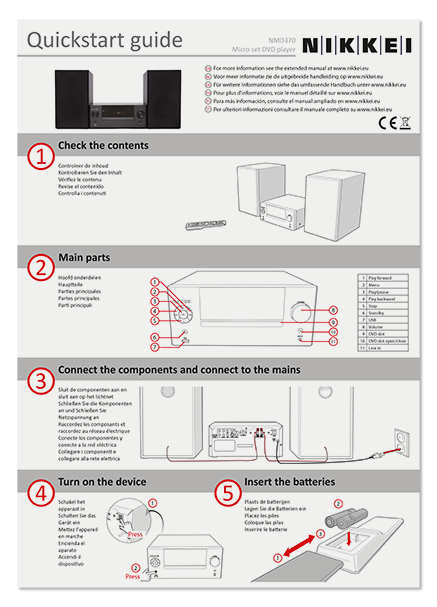
A QSG is typically visually oriented. It combines short texts with clear illustrations or icons. Common elements include:
- Package contents – An overview of included parts or accessories
- Basic installation – How to connect or assemble the product
- Initial set-up – Steps to activate or start the product for the first time
- Basic functions – A brief explanation of key buttons or features
- Safety warnings – Essential instructions for safe use
- Reference information – Contact details or a link to the full user manual
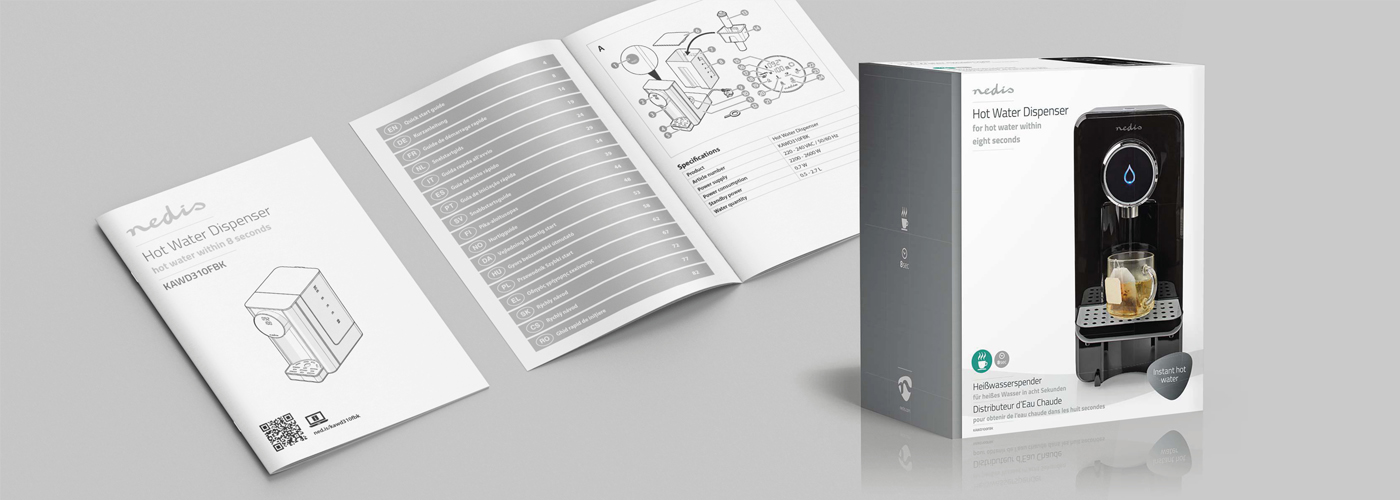
The example below shows a quick start guide that incorporates many of these elements. Read our article to learn more about QSGs.
Procedure for Creating Effective Manuals
We have discussed various types of manuals. Regardless of the format, an effective manual is developed using a structured approach.
Step 1 – Determine the Content
Identify all relevant technical information. Draft and edit the texts. Develop supporting illustrations where necessary.
Step 2 – Define Structure and Style
Determine how the information should be organised. Establish a clear structure and define the visual style, including layout, typography and use of illustrations.
Step 3 – Compile and Publish
Combine the approved content with the defined design. Finalise the layout and publish the manual in the required formats. Distribute the documentation to the intended users.
A structured approach ensures clarity, consistency and compliance with applicable requirements.
Would you like support from a specialist? Manualise has more than 15 years of experience in creating user-friendly manuals that comply with legal requirements.