What Is a CMS
A CMS (Content Management System) is software that allows you to manage, edit and publish information in a structured way. Unlike web-focused systems such as WordPress, a CMS for technical documentation is specifically designed to create and maintain manuals and user information.
How it works
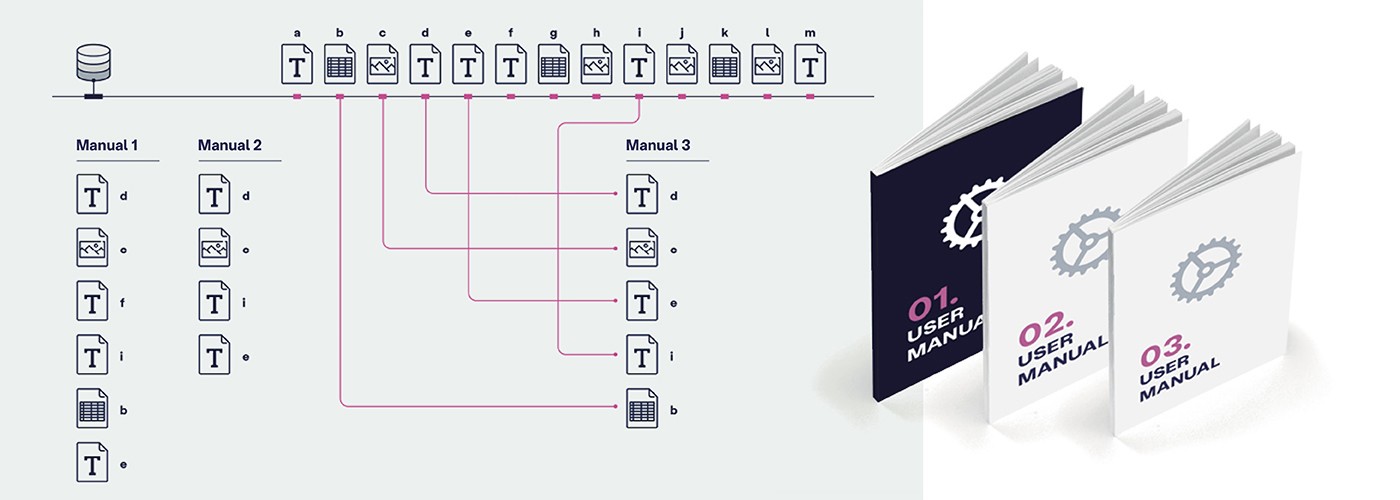
Instead of working with separate Word or PDF files, the content of manuals is divided into elements. Each piece of information — from a safety warning to an installation procedure — is stored centrally in the CMS as a separate content block.
This modular structure allows content to be reused across different manuals, languages and formats. A change in the CMS can easily be applied to all publications. This reduces errors, saves time and ensures consistent communication.
For example, a manufacturer of medical equipment may maintain manuals in ten languages. With a CMS, an update to a safety instruction can be implemented in a controlled manner across all language versions and documents in which that component appears.
Why Use a CMS for Manuals
A CMS is not simply a convenience; it is a strategic investment in efficiency and consistency. Organisations with complex products, regular updates or international markets benefit particularly from this approach.
- Centralisation and control
All content is stored in one central system. Instead of scattered files, you work in a single structured environment where texts and images are managed together. This improves oversight and control. - Consistency in style and terminology
Templates, style settings and terminology lists ensure consistency in language, tone and visual presentation. This keeps documentation uniform, regardless of how many writers or languages are involved. As a result, the information becomes more reliable and strengthens the organisation’s brand identity. - Efficiency through reuse
Many manuals contain overlapping information, such as standard safety instructions or identical maintenance procedures. In a CMS, this content is created only once and reused wherever required. This significantly reduces writing and maintenance time. - Multilingual support
A CMS is particularly valuable for organisations that publish documentation in several languages. Translations are linked directly to the source content. If a section remains unchanged, it does not need to be translated again, saving both time and translation costs.
To learn more about centrally managing and structuring documentation, read our article “Content Management: the foundation for clear, safe and consistent manuals.”
Working with Modular Content
One of the most important changes introduced by a CMS is the use of modular content. Manuals are no longer written as one continuous document but assembled from independent information units, often called topics.
Each topic focuses on a single subject, such as a procedure, explanation or safety warning.
Benefits of modular documentation
A modular approach provides several practical advantages:
- Reusability: Instructions such as “replace the battery” can appear in multiple manuals.
- Scalability: New products or variants can be added without rewriting entire manuals.
- Simpler maintenance: If a product component changes, only the relevant topics need updating.
- Consistency: All manuals follow the same structure, which improves usability and recognition.
Single-Source Publishing
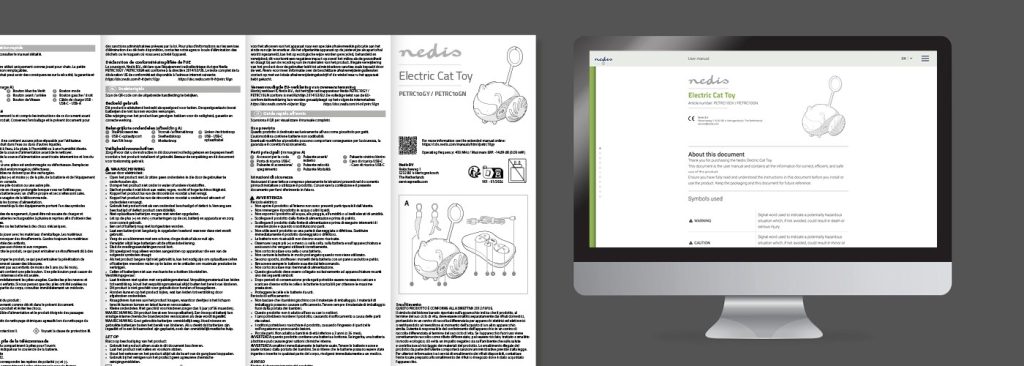
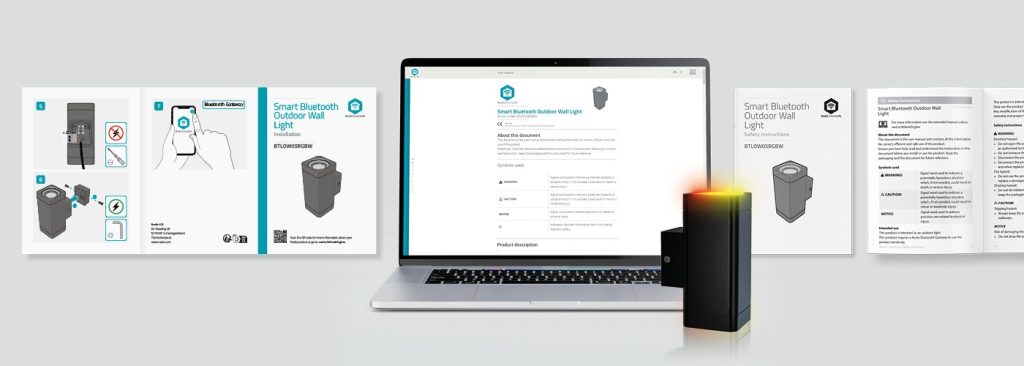
A major advantage of a CMS is the ability to publish from a single source to multiple output formats. This method is known as single-source publishing.
For example, an installation manual for an industrial pump may be published as:
- A PDF manual included in the product packaging
- An HTML manual on the service website
- A mobile or app version with the same steps, possibly enhanced with images or videos
Because the content is managed centrally, you do not need to maintain separate files for each format. This prevents inconsistencies and accelerates the publishing process.
For more information, read our article “Multichannel output: publishing your documentation efficiently, consistently and future-proof.”
The Role of Templates
In a CMS, templates determine how content appears in each medium. They provide a fixed structure and automatically apply formatting, ensuring that text, icons and warnings are presented consistently.
This consistency ensures users receive a clear and professional presentation of information in every format — whether in a PDF, on a website or in a mobile application.
Templates also improve efficiency. Writers can focus entirely on content rather than layout or formatting.
In addition, templates help organisations comply with standards such as IEC/IEEE 82079-1 and ISO 20607, which emphasise clarity and consistency in user documentation.
Creating Manuals in a CMS
Creating manuals in a CMS means working in an environment where content, structure and presentation are closely integrated.
Technical writers play a central role. They develop the content and define the structure of the manual. Using modular content blocks and predefined templates, they ensure the information remains logical, consistent and easy to navigate — regardless of the language or output format.
Additional roles
Technical writers may also act as reviewers, checking whether instructions are complete, understandable and compliant with international standards such as IEC/IEEE 82079-1 and ISO 20607 . This ensures both the quality and clarity of the documentation.
Designers focus on the visual consistency of the final publication. They ensure all output formats — whether PDF, web manual or mobile version — follow a consistent style aligned with the organisation’s brand identity.
This division of roles creates an efficient workflow. Writers maintain full control over the content, while designers ensure a professional presentation. Updates can therefore be implemented quickly without compromising quality or consistency.
CCMS systems
Well-known CMS solutions for technical documentation include Author-it and MadCap Flare. At Manualise, however, we developed our own Component Content Management System (CCMS). This system is specifically designed for creating manuals and is tailored to the needs of technical writers.
If you plan to develop multiple manuals and want to learn more about efficient content management, watch our video. Manualise also offers its single-source software under licence, enabling organisations to create, manage and publish manuals independently.
How Manualise Develops Manuals
Prefer expert support when creating manuals? For more than 15 years, Manualise has specialised in developing clear and user-friendly technical documentation.
Our method converts complex technical information into structured, easy-to-use manuals.
Step 1 – Define content and structure
We analyse the product and collect all relevant technical information. Next, we define a logical content structure and develop modular content blocks that can be centrally managed and reused.
Step 2 – Establish visual style
We define the visual style and develop the templates required for consistent presentation.
Step 3 – Publish the documentation
Finally, we combine content and design to produce the final documentation. The manuals can then be distributed in multiple formats.
Using a CMS allows us to translate manuals efficiently and publish them in various formats. Updates can also be implemented quickly and consistently.